Paste keyboard
Insert saved text with one tap in any app that allows custom keyboards.
- Filter by tags and folders
- Long-press to preview full content
- Select words and insert just those
- Browse and insert even without Full Access
Save text, rich text, images, and files once, then paste them from iPhone, iPad, or Mac.
Download on the App Store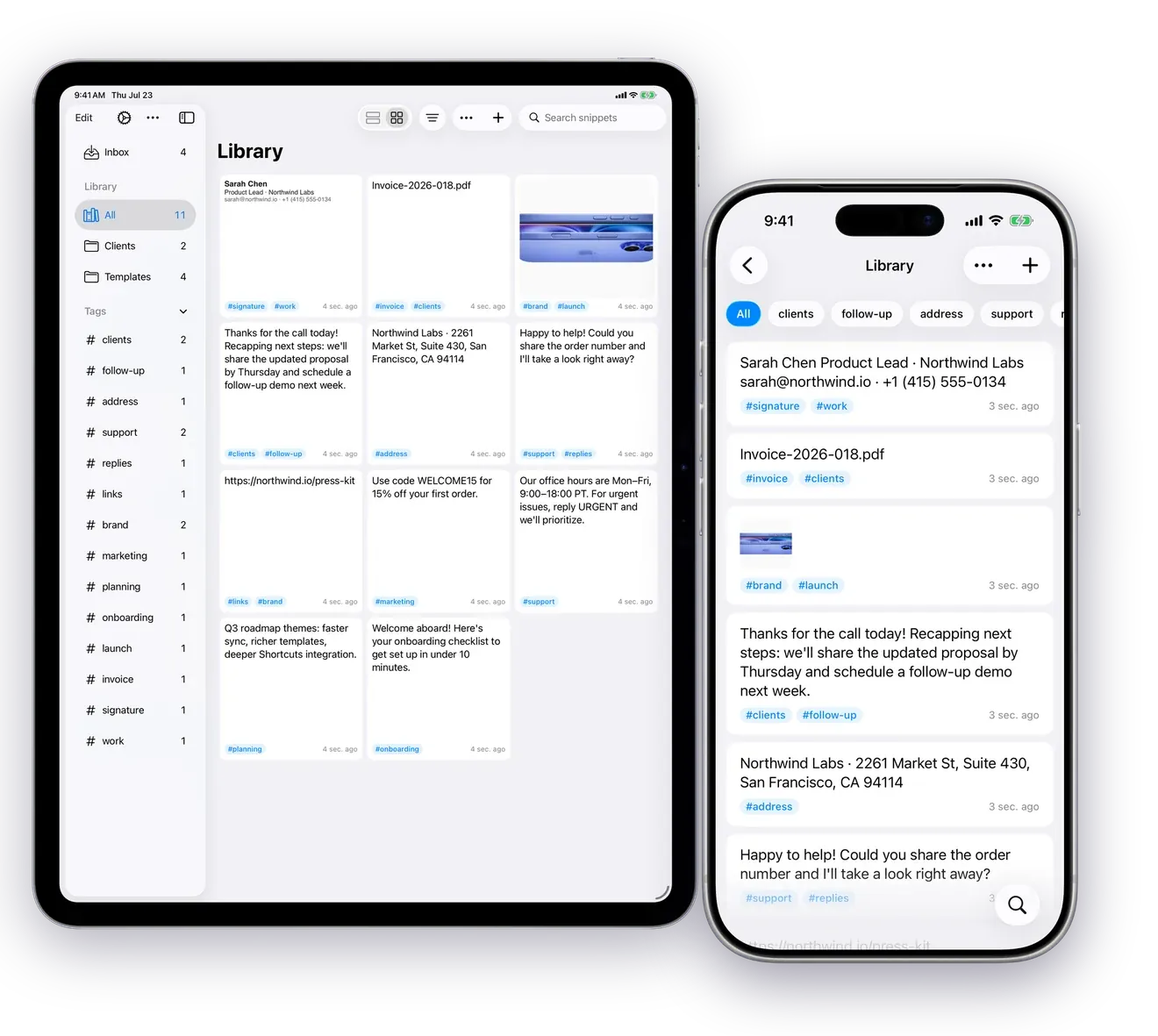
Insert saved text with one tap in any app that allows custom keyboards.
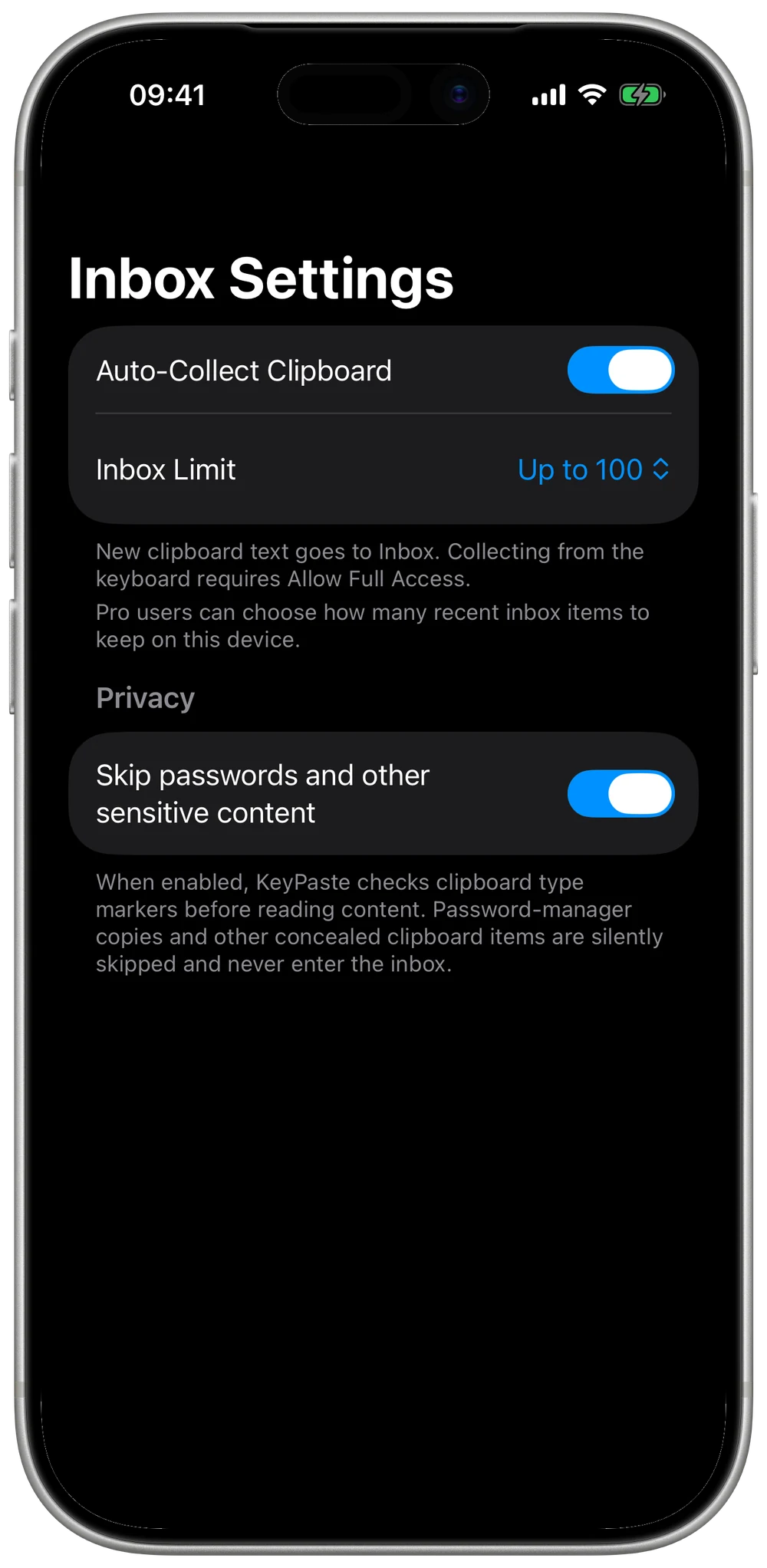
An optional hold for copies, before you save them in the library. Auto-Collect Clipboard stays off until you turn it on.
A place for canned replies, templates, images, and files.
When you enable iCloud sync, eligible snippets and Inbox items stay in sync across iPhone, iPad, and Mac. There is no separate KeyPaste account, and the content does not go through our servers.
Eligible snippets, images, files, and tags stay in sync under your Apple Account.
A native Mac window with Inbox, Library, folders, and tags in the sidebar. The menu bar icon or a global shortcut opens the Quick Panel. Double-click an item or press Return to paste it into the app you were using; KeyPaste asks for Accessibility permission once, and without it, it copies instead. Drag text, images, or files into other apps or Finder.
Home Screen widgets show your pinned items or a snippet you choose, and copy plain text with one tap. An action widget with four configurable keys opens KeyPaste where you need it, and Control Center can open it too.
A clipboard tool can see everything you copy. During automatic capture, KeyPaste skips concealed content such as passwords. On Mac you can also exclude specific apps.
During automatic capture, passwords and other content that the source marks as concealed are skipped instead of being added to the Inbox.
Add specific apps to an exclusion list so clipboard content copied in them is not automatically captured.
Your content stays on the device, and in your own iCloud if you turn sync on. Anonymous product analytics never includes your content. No ads. KeyPaste does not record what you type in other apps.
The keyboard, Inbox, library, and iCloud sync are included for free. Pro removes the library cap, lets you size the Inbox, and adds image text search.
Get KeyPasteYou can browse your library and insert saved text without it. Full Access is needed when the keyboard has to save content, read the clipboard, copy rich text or images, or change items such as pins.
On your device. If you enable iCloud sync, eligible content also syncs across your devices through Apple iCloud (CloudKit). Your content never passes through a KeyPaste developer server.
No. KeyPaste does not record or transmit what you type in other apps. It stores snippets you save, plus clipboard items you capture or share, according to your settings.
Yes. During automatic capture, KeyPaste skips passwords and other sensitive clipboard content that the source marks as concealed. On Mac you can also exclude specific apps from automatic capture. Auto-Collect Clipboard stays off until you turn it on.
Yes, when you enable iCloud sync. Under the same Apple Account, eligible snippets, images, files, tags, and organized Inbox items stay in sync through iCloud.
Open Settings → General → Keyboard → Add New Keyboard, then choose KeyPaste. You can start browsing and inserting snippets right away.
Yes. You can start for free with up to 20 library items and 30 Inbox items. Pro removes the library cap, lets you size the Inbox, and adds image text search. Get Pro with a yearly subscription, a lifetime purchase, or a monthly subscription. All three unlock the same Pro. Already bought Pro? Nothing changes for you.
Yes. With the same Apple Account and the latest Mac app, Pro works on iPhone, iPad, and Mac, whichever plan you choose. Subscriptions don’t support Family Sharing.
Yes. You can export a complete backup of your library and Inbox for free.